 ameya labs
 Smart Printer App
Your phone has the pictures.
Make something you can hold.
Arrange a photo sheet, put your calendar on the fridge, or get a document ready for paper. Smart Printer App brings the preparation and printing into one place.

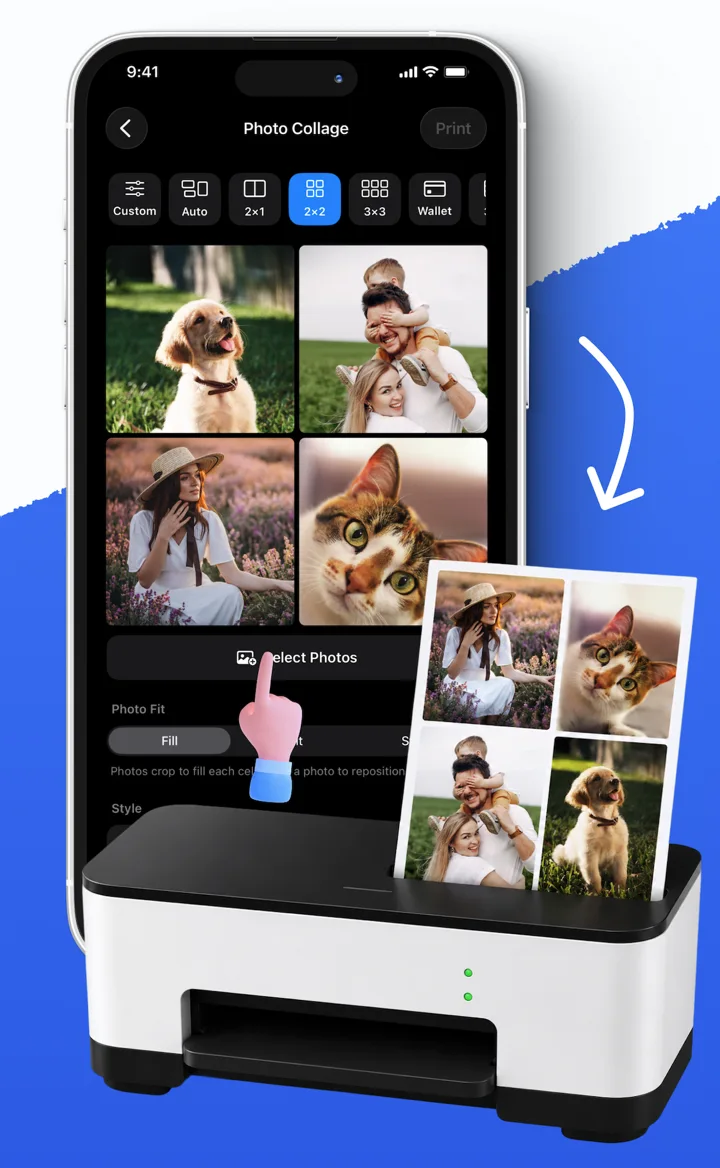
A whole sheet of favorites
Choose a collage grid, arrange your photos, and decide whether to keep the full picture or fill each frame. Preview before you print.
Paperwork without the desktop
Scan pages into a PDF, import a document from Files, or turn copied text into a readable page. For complex Office files, export a PDF from the source app first.
Useful things you can make
Prepare address labels, printable calendars, Reminders checklists and Wi-Fi QR signs. Some workflows also let you save a PDF for later.
AirPrint and Direct IPP
Use Apple’s print panel or try Direct IPP with a compatible network printer. The right route depends on the printer’s protocols and accepted formats.
Check the fit before you print
Smart Printer App is for iPhone. Ordinary in-app printing requires a purchase. Selected scan, calendar, label and printable PDF exports are available without that print unlock. Current prices and offers appear in the app.
You need a compatible printer reachable from your phone. Wi-Fi alone does not guarantee compatibility. Before printing label stock or a large batch, check one sample for alignment, margins and readability.
Understand the two print modesGet it ready. Get it on paper.